Reply, not rewrite
Writing tools polish your text. Volley writes your answer to theirs.
For macOS · free
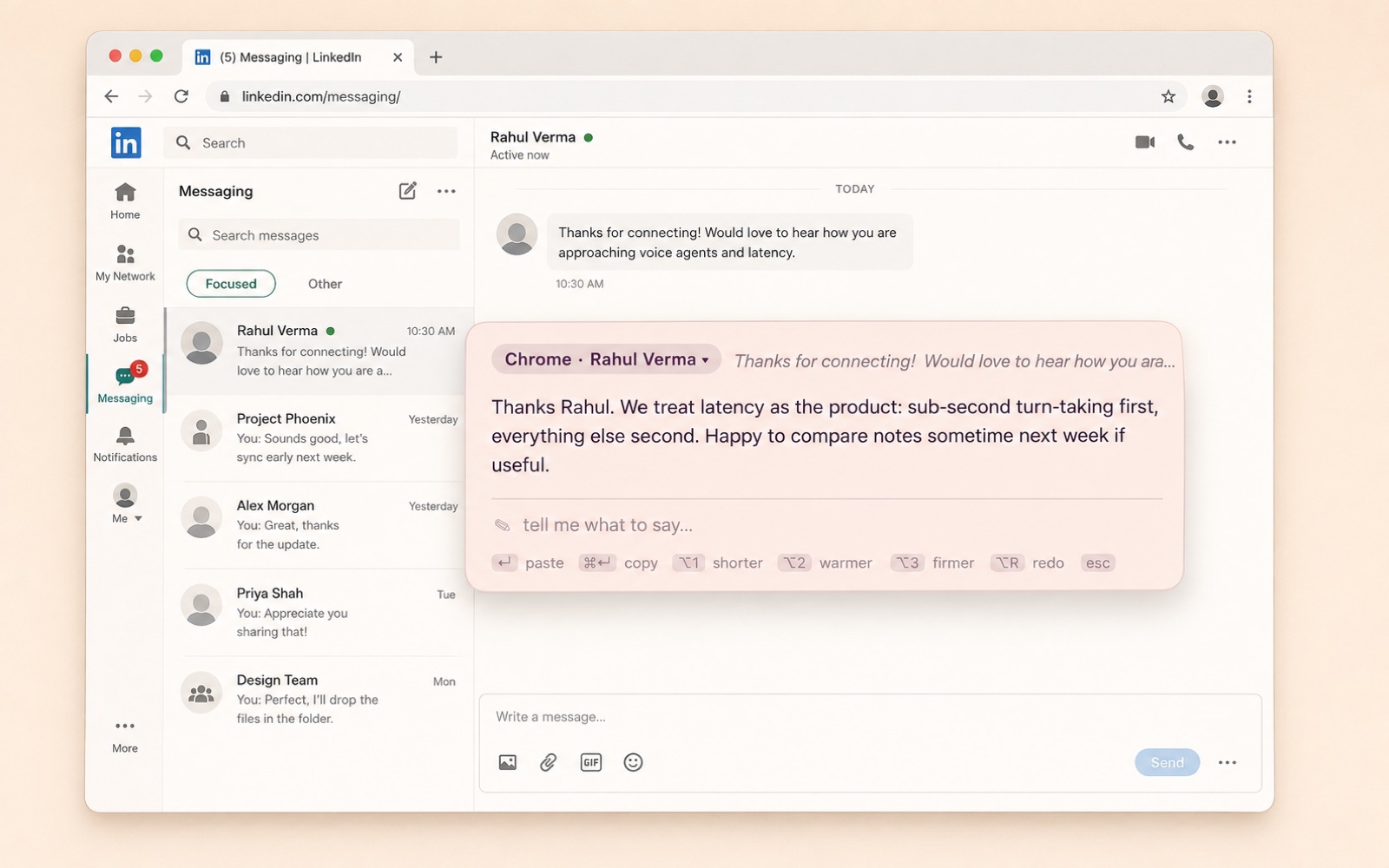
Select their message. Press ⌥ Option R. Volley drafts the reply the way you would write it and pastes it right where your cursor was. WhatsApp, Slack, LinkedIn, Gmail, anywhere.

Highlight what they sent, in any app. Volley also reads the rest of the conversation on screen, so the reply follows the thread. Nothing selected? Paste it into the bar instead.
A small bar appears and your reply streams in within a couple of seconds. Nudge it with ⌥1–⌥4 or type what you want to say.
Volley pastes the reply into the text box you came from. You read it and press send. It never sends for you.
Writing tools polish your text. Volley writes your answer to theirs.
⌥1 shorter, ⌥2 warmer, ⌥3 firmer, ⌥4 expand. Or type an intent: “say no, suggest friday”.
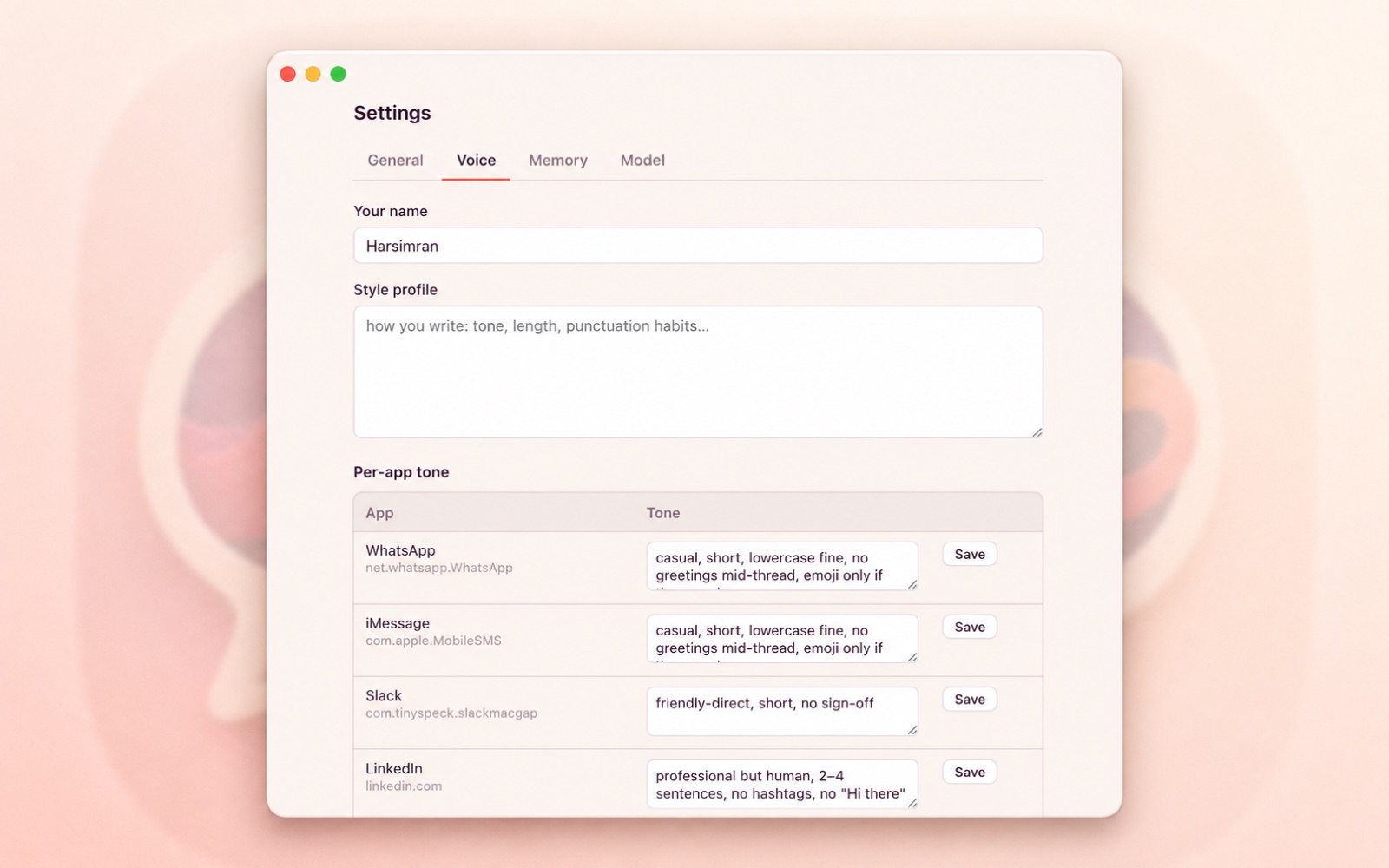
Lowercase and short on WhatsApp. Two clean sentences on LinkedIn. Blunt on Reddit. Same hotkey.
Your selection plus the last dozen messages on screen go in as context, so a reply to “sounds good, what time?” knows what was agreed.
Picks up the contact and remembers past replies. Add a note like “lowercase, teasing” and your boss and your best friend stop getting the same register.
Save your address, meeting link or rate once and Volley uses them when a message asks. Turn on calendar access and it can suggest a time you're free. Anything it can't fill is a [placeholder] that ⇥ jumps to.
Import your iMessage history or a WhatsApp chat export and Volley learns from replies you've already written. After that, every edit you make teaches it more, and you approve each change to your style.
Pick Anthropic Claude, Google Gemini or OpenAI and bring your own API key. Switch any time in Settings.
About 80 MB of memory, zero CPU when idle, ready in under a second. Written in Rust.
History, contacts, your facts, imported messages and your style live in a local database on your Mac. The only thing that leaves it is the prompt for each reply: their message, the conversation visible around it, and the bits of your style, facts or busy times that reply needs. It goes to the AI model you choose, Anthropic Claude, Google Gemini or OpenAI, using your own API key, which is stored in your macOS Keychain. Password fields and text you're typing are never read, and calendar access sees only busy times, never event titles. No account, no server of ours in the middle.
Optional: calendar access (for suggesting times) and Full Disk Access (for importing iMessage history) are asked for only when you turn those features on.
Updates arrive inside the app: Volley checks in the background and offers new versions from the menu-bar icon.
Loading releases…